> For the complete documentation index, see [llms.txt](https://knowledge.loword.co.kr/llms.txt). Markdown versions of documentation pages are available by appending `.md` to page URLs; this page is available as [Markdown](https://knowledge.loword.co.kr/func/search/section.md).
# 섹션 배치 및 스마트 블록
개요
{% hint style="danger" %}
해당 기능은 네이버 검색엔진 검색어 분석 결과에서만 나타나는 화면입니다.
{% endhint %}
## 섹션 배치 순서
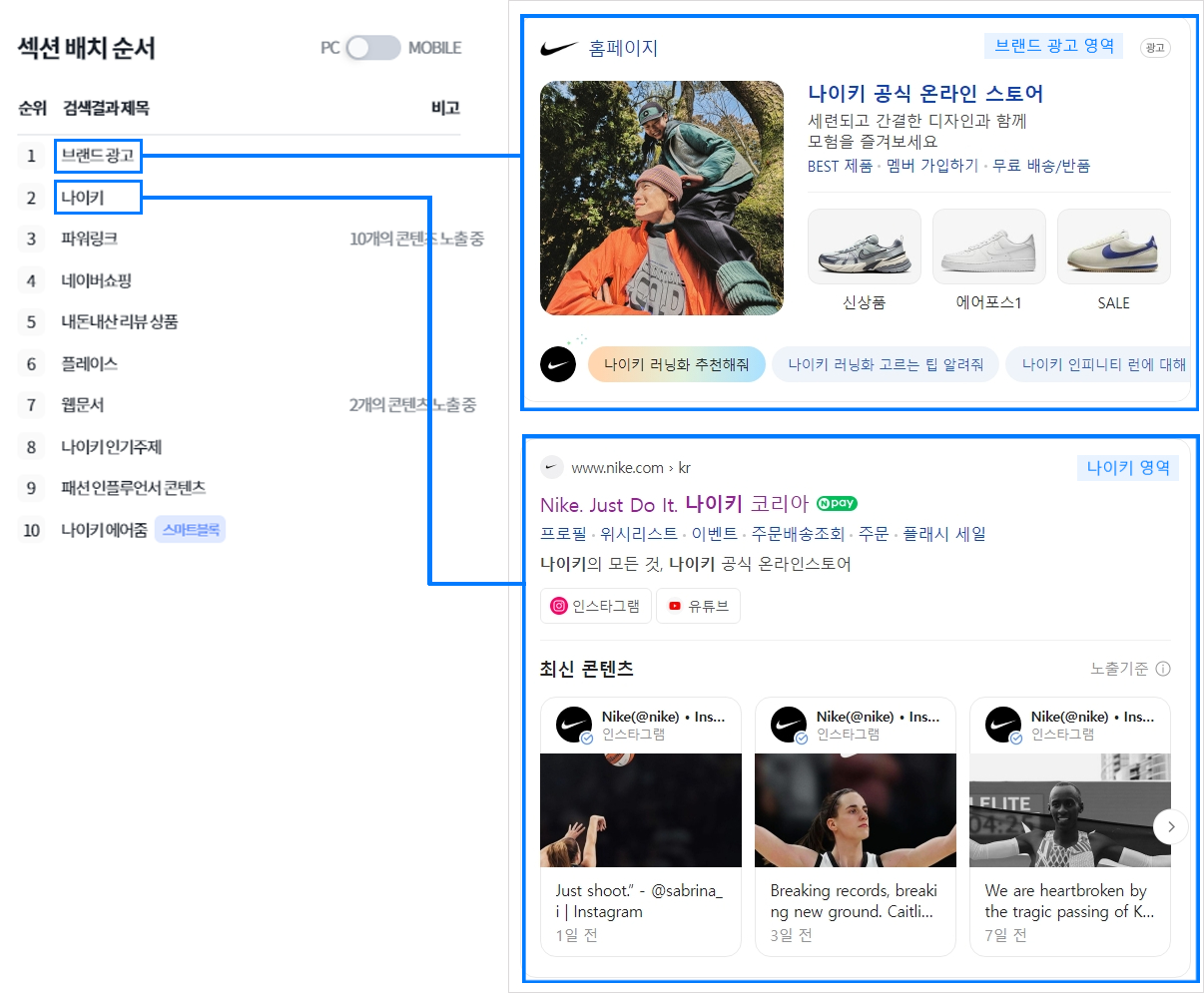
네이버 섹션 배치 순서
해당 순서는 네이버 기준 키워드 검색 결과에서 나타나는 섹션으로, 네이버 검색창에 키워드를 입력했을 때, 블록 별 데이터 정보를 제공해주는 서비스입니다.
'나이키' 키워드를 예시로 하였을 때, 섹션 배치에 대한 정보를 제공하여 어떤 키워드에 어떤 정보를 제공해야 상위에 노출 시킬 수 있을지에 대한 분석이 가능합니다.
## 블로그 탭 순서
네이버 블로그 탭에 대한 상위 노출 순서 별 방문자 수 데이터 및 발행일 데이터, 상위 노출 유지 기간 및 평균 방문자 수에 대한 데이터를 제공하는 섹션입니다.
네이버 블로그, 포스트, 웹문서로 구분되어 있으며 발행일과 노출된 블로그에 대한 예상 방문자 수 정보를 제공합니다.
스마트 블록 영역은 검색 기준 키워드가 스마트 블록으로 검색 결과가 이루어져 있을 경우, 해당 키워드를 구성하는 스마트 블록에 대해 선택할 경우 상위 노출된 블로그 및 포스트의 순서와 정보를 제공합니다.